Showing posts with label wires. Show all posts

Thursday, September 19, 2013

Hanging Light Fixture Hack

My dining room light fixture left something to be desired.
It was a generic 2 bulb fixture with a glass cover. Since my kitchen table doubles as a work table, I wanted to get some more direct light.

how things used to be


Preliminary Work


The basic idea was to use the existing mount and add my own light in the least ugly way possible.
I figured I could use some thick wire to bend a frame with and hang the fixture from. I would need to use the available power, as well.

like a warm power cable hug

I thought it would be nice if the weight of the light itself helped suspend it above the table. By looping the wire around in a tight 1.5 turn helix, the added weight would enlongate the helix, decreasing the radius and adding pressure to the coiled wire held within!


Materials


Only a few simple items for this project. 
> Coat hanger
> Industrial hanging pot light 
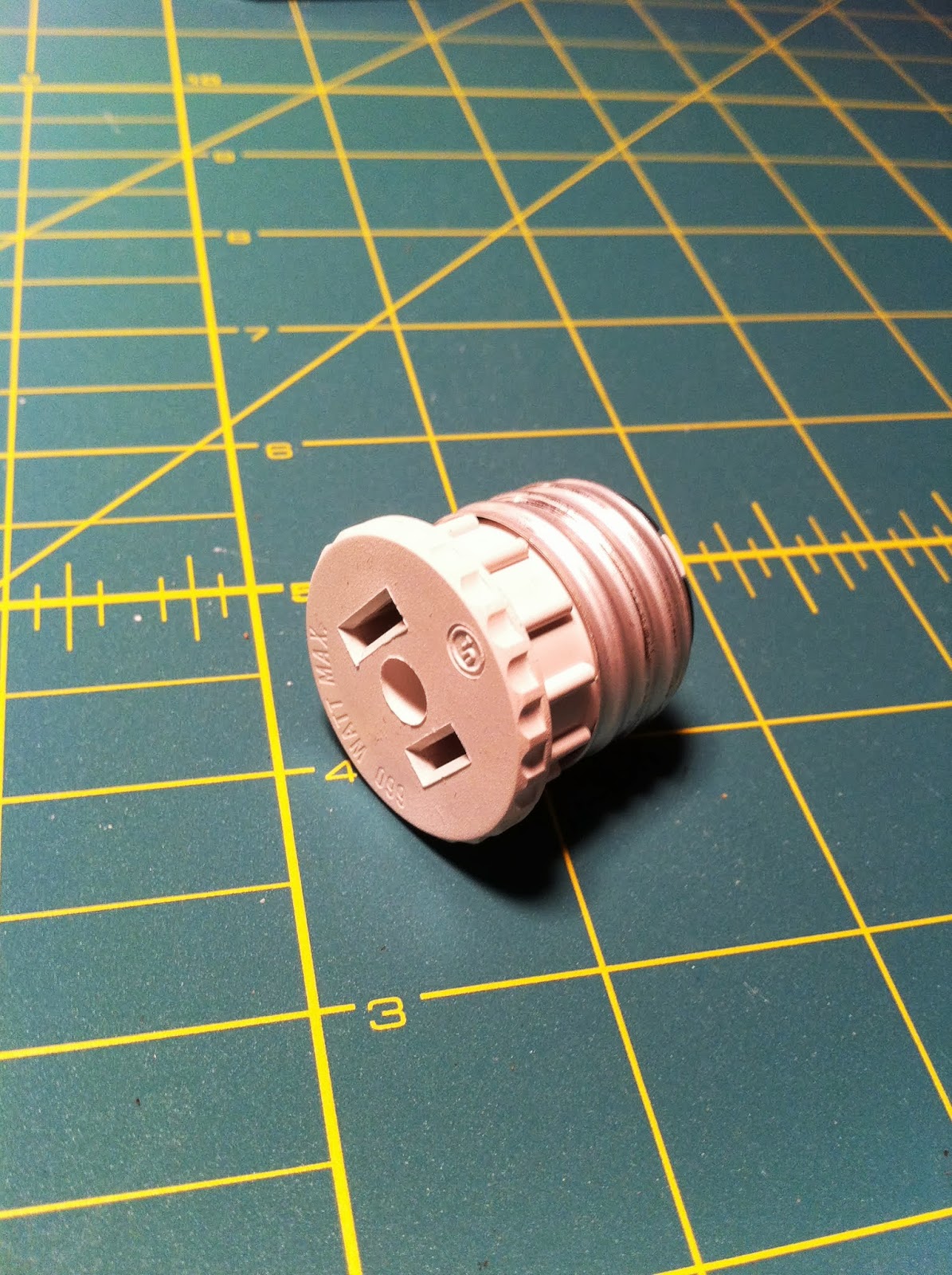
> Light fixture to AC power adapter
> Pliers and a length of dowel or broom handle to bend the wire


The Process


Only a few steps to realize my dreams of concentrated illumination.
Placing the original threaded support rod a small loop at the top of the wire frame, I screwed the fitting reasonably tight.

Screw in the adapter, plug in the light, coil and hang the fixture.

done.


The Product


A nice spot to sit down to work!
BONUS: I believe I mentioned it was a 2 bulb fixture! with an extra adapter, you can plug in an extension cord to have power close by while you work! Just remember to have it suspended away from the light!


Thursday, August 29, 2013

Network Device Organization

Most ISPs provide customers with modem/router combination units these days, but if you find yourself with more than one device, you generally have a mess on your hands.

I have a modem, router, and switch. When these guys hang out together they tend to heat up something fierce. Being a strict administrator, I decided to separate them to stop the shenanigans.
I did this for about $1.00. 


Materials


There's a dollar store not far from my house that has a great selection of... well... everything. This includes cheap cooling racks.

> Cooling rack
> Wire cutters, metal file
> Thin hard surface


The Process


Step 1.  Cut a wire for either side of the device you want to secure, being sure to leave a wire in between

Step 2.  Bend  the cut ends up at a 45 degree angle and inwards so that it can apply firm pressure on the device it's holding

Step 3. Use your file to take off any sharp edges that may have been created when you cut the wire.

Step 4. Slide the hard surface under the cut wires and over the uncut ones.

Step 5. Put your devices in the rack and rest easy!


The Product


Sunday, August 18, 2013

Desktop Wire Organization

When setting up my desktop computer, I noticed that the tabletop was too thick for the old bulldog/binder clip solution like the one shown at Lifehacker, Luckily I happened across a nice large spring! Holding wires is amazingly convenient.


The Process


Fixing the coil to the desk is simple and doesn't damage the tabletop. I used a plastic-coated coat hanger bent into a square 'C' shape to hug the surface snugly. I left some extra length on the top which I bent back to fit around one of the coils, holding it in place.


Before securing the spring to the top of the desk, you should consider the frequency you use the wires and for what function. 


Wires that are heavier and tend to lift up and wires that are meant for desktop use only, are placed between the desk and the spring, preventing the wires from lifting, though a gentle pull will release some slack allowing you to plug it in to the desired peripheral.

For wires that need to move away from the desk for use, you simply place it on top of the spring, sliding it in between the coils.


Pretty Nice, right? It works like a charm! While I was at it I thought it might be a good idea to make another clip to holster my headphones, which also proved to be quite useful.


Enjoy!